An AI assistant to run your restaurant by voice.
Dictate a booking, change a price, snap the chalkboard. The assistant prepares, you confirm.A booking taken over the phone, a price to change, this week's menu written on the chalkboard: say it, type it or take a photo. The assistant prepares a summary, you check it and confirm. Nothing changes without your click.
What you can tell it
Four real requests, and the assistant's answer exactly as it appears in the app.
Dupont, 4 people Saturday evening 7:30 pm, 079 123 45 67
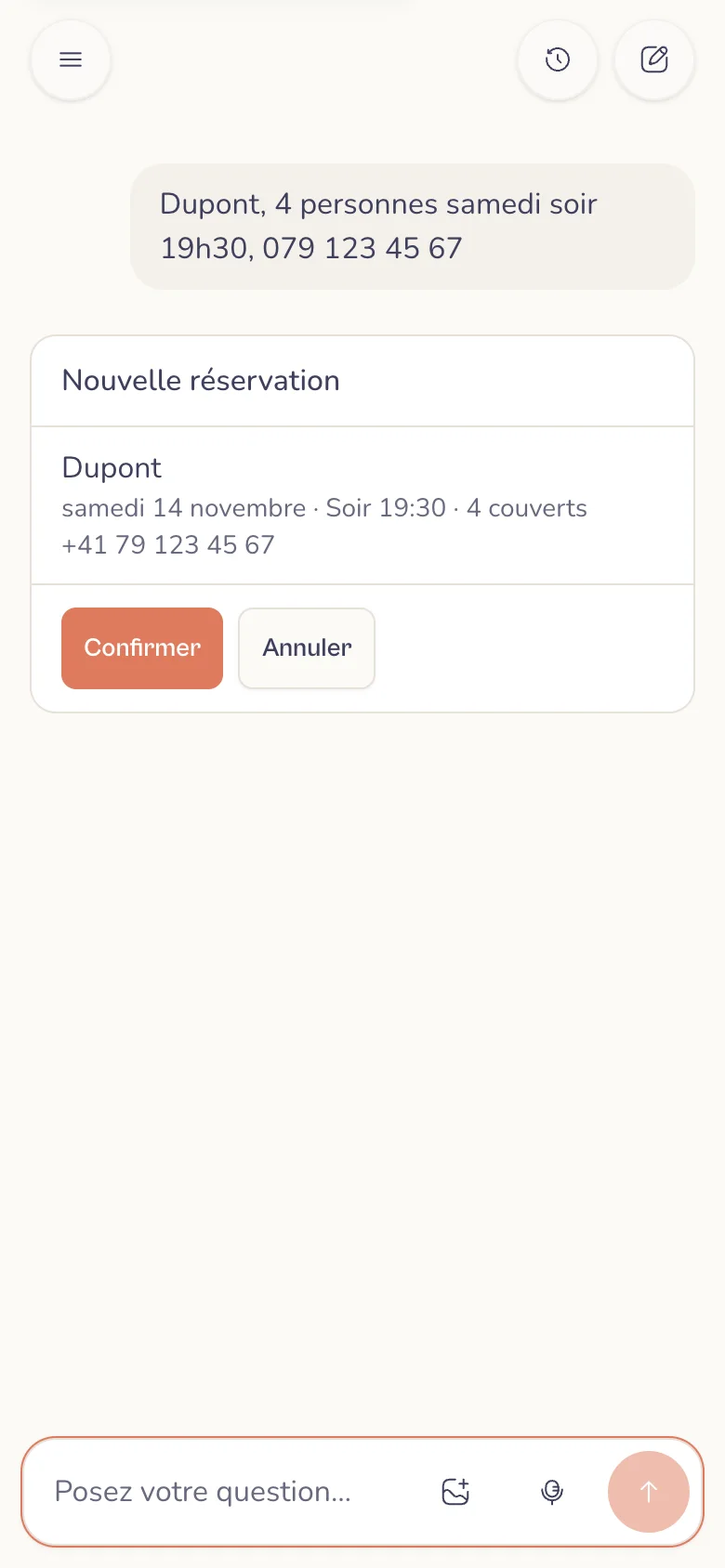
The assistant checks there is room and prepares the booking, with the day written out. One click on Confirm and it is in your diary; the guest gets their email if they gave one.
And also
- Dupont is now 6, at 8 pm
- Cancel Martin tonight
- Who's coming tomorrow lunchtime?
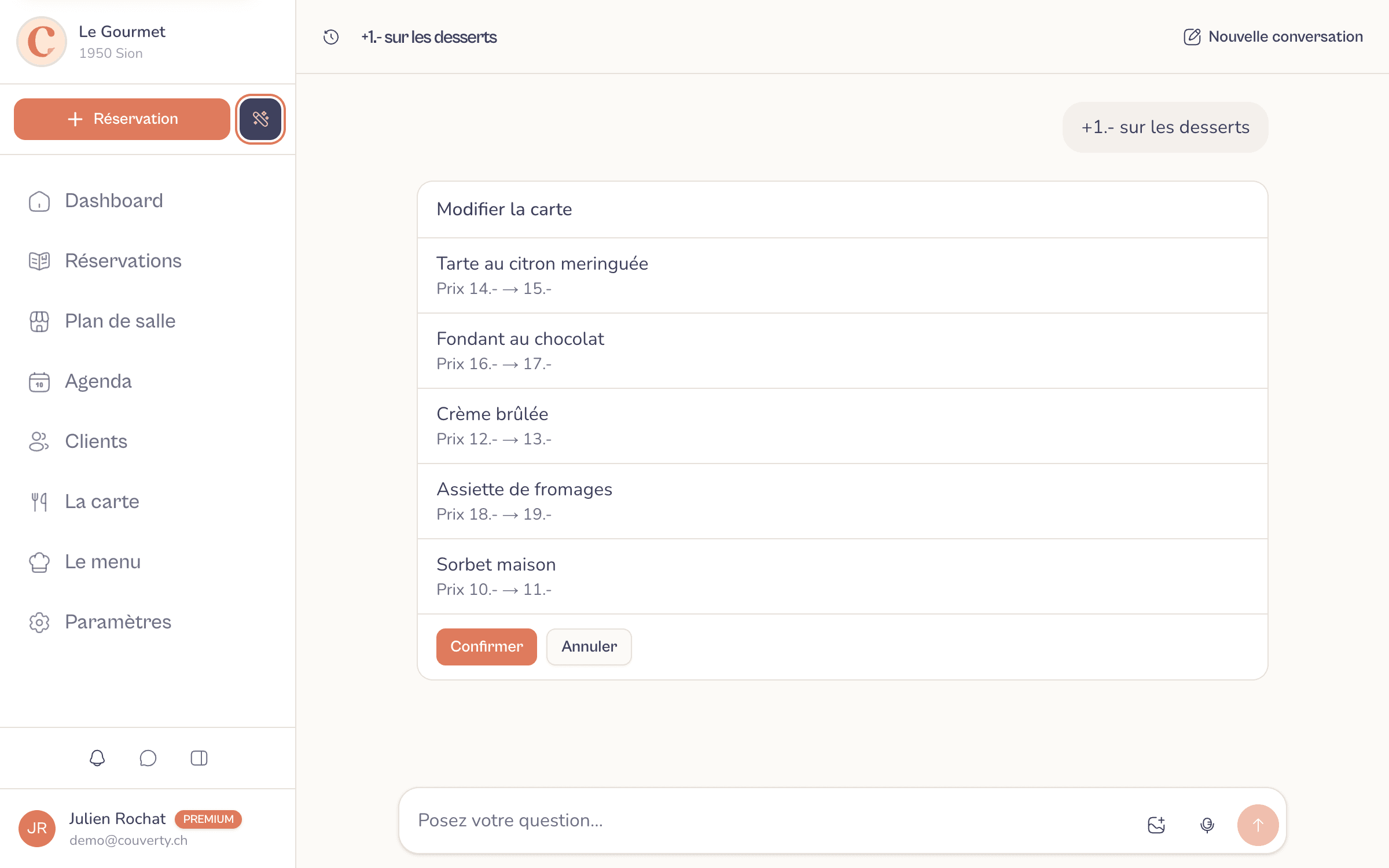
+1.- on desserts
Each dessert shows its price before and after. Nothing changes on your menu before your click.
And also
- Make the entrecôte 42.-
- Hide the tartare
- Add a beef tartare at 32.- as a suggestion
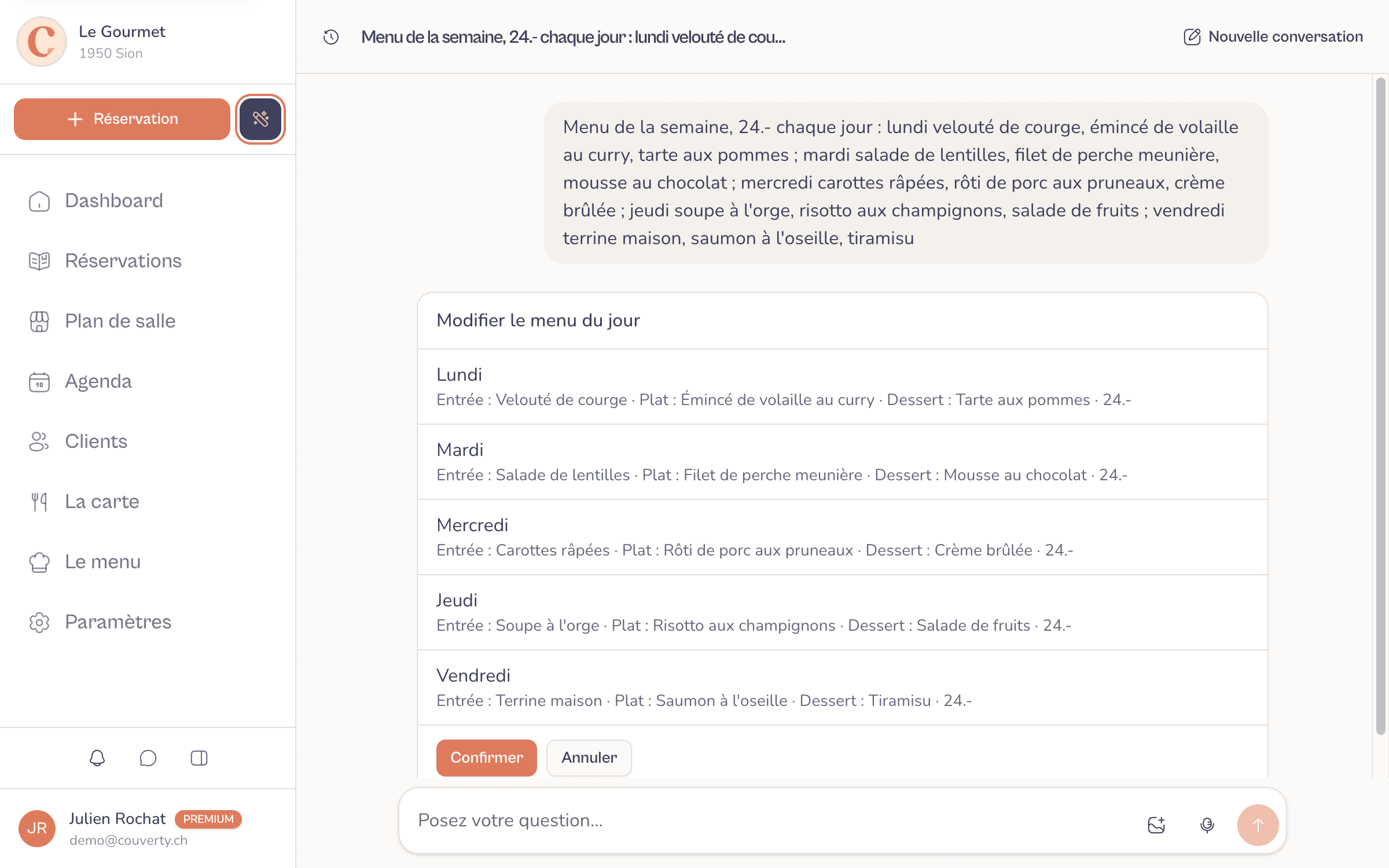
This week's menu, 24.- every day: Monday butternut soup, chicken curry, apple tart…
All five days are filled in at once: starter, main, dessert and price. After confirming, you send them to your subscribers or create the visual.
And also
- Here's a photo of this week's chalkboard
- On Tuesday, swap the dessert for a tarte Tatin
- What's the daily menu this week?
Suggest three seasonal dishes for next week's menu
Seasonal ideas, to use or not. The assistant only adds them if you ask.
And also
- An autumn dessert for Friday?
- A vegetarian starter for Tuesday?
Why use it
A phone booking, entered in one sentence
The guest is still on the line: you say "Dupont, 4 people Saturday evening 7:30 pm, 079 123 45 67". The assistant checks there is room, asks for anything missing and prepares the booking. After your click, the guest gets their confirmation email, just as from the Bookings screen.
A photo of the chalkboard becomes the daily menu
Take a photo of the chalkboard, the printed menu or the delivery note. The assistant pulls out the week's menus, starter, main, dessert and price, and shows them day by day before saving. If a word is unreadable, it asks instead of guessing.
Your menu changed in one sentence
"Make the entrecôte 42.-", "+1.- on desserts", "hide the tartare", "add a beef tartare at 32.- as a suggestion". Each item shows its price before and after: you check at a glance, then confirm.
Your service in one question
"How many covers tonight?", "Who's coming tomorrow lunchtime?". The assistant answers with your real bookings, the seats left and the pending requests, which you accept or decline right in the conversation.
From menu to guest, without switching screens
Once the daily menu is saved, "Send to subscribers" opens the usual send with the email preview, and "Create the visual" prepares the image for Instagram and Facebook. Short of ideas? Ask for seasonal dishes in the style of your menu.
Nothing changes without you
Every change goes through a summary to confirm, and no email leaves without your button. Each team member only finds what their role opens to them, and the assistant only works on the venue that is open.
How it works
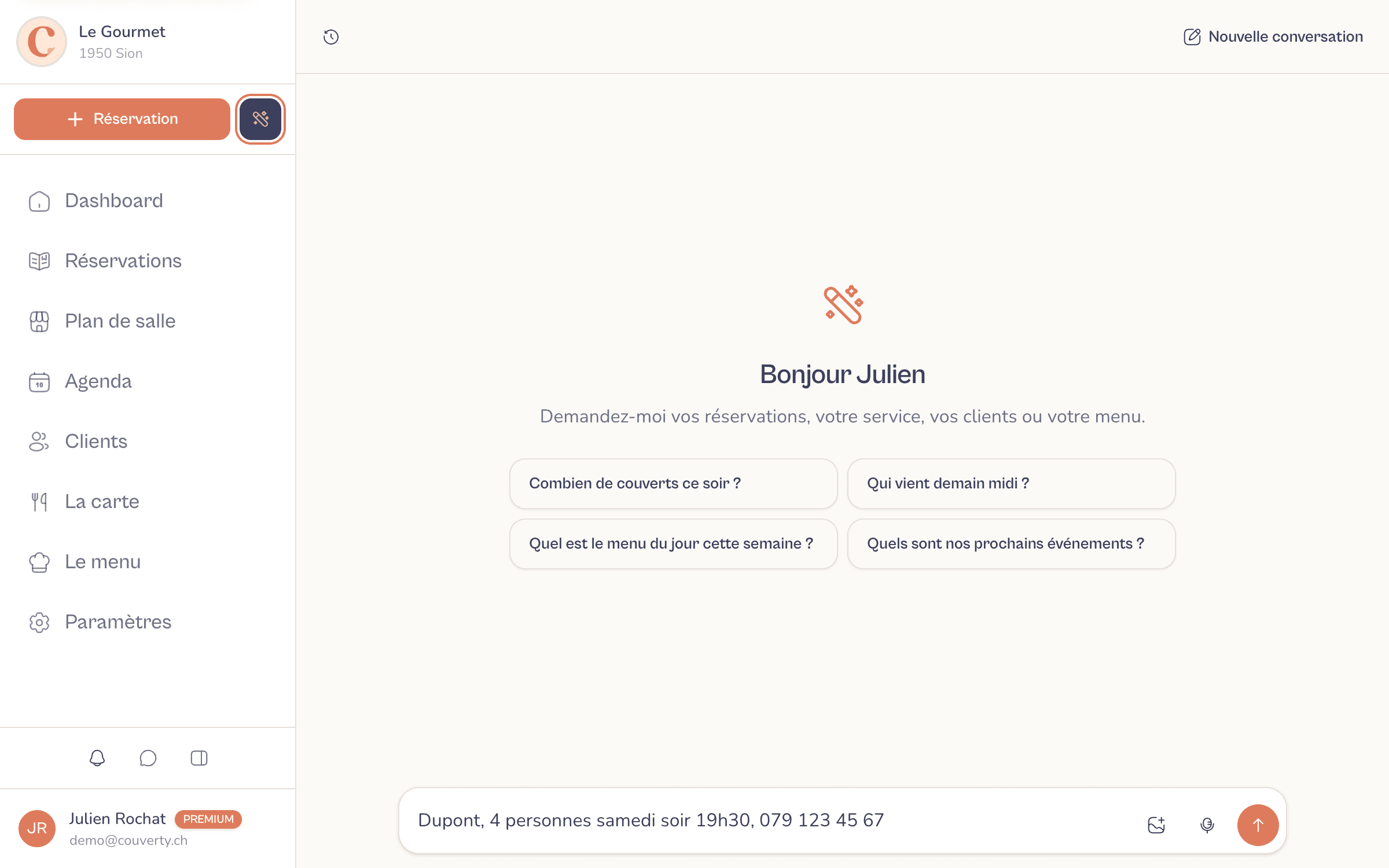
Speak or type
Tap the microphone, or hold the assistant bubble on your phone: the text appears as you speak. A misheard name can be fixed before sending.
The assistant prepares a summary
It reads your service, your menu or your daily menu, then shows exactly what will change: the booking with the day written out, the price before and after, what each menu replaces.
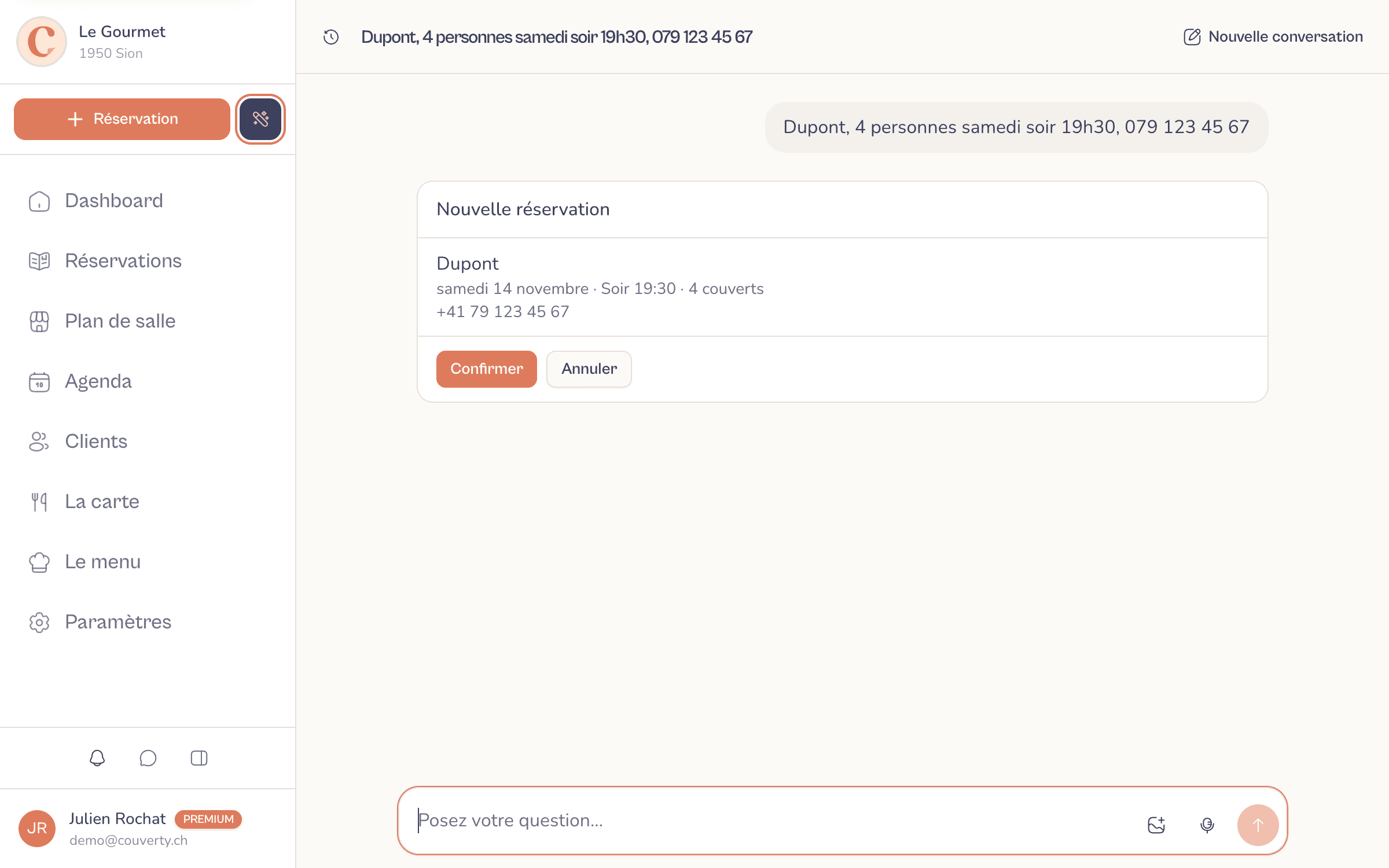
You confirm in one click
Confirm saves just like the usual screen: email to the guest, Google Calendar if connected, menu page up to date. Cancel, and nothing moves.
The whole week in one go
Dictate the week's menu, or attach a photo of the chalkboard: the assistant fills in each day on the same summary to confirm. The photo is only used for reading and is not kept.
A Friday at the restaurant
11:40 am, the phone rings: a table for 6 tonight. You dictate the booking one-handed, between two plates, and confirm: the guest has their email. 3 pm, you snap next week's chalkboard: the five menus are ready, you fix one price and send them to your subscribers. 6 pm, "how many covers tonight?": 42, including two pending requests, which you accept on the spot.
What restaurant owners say
Restaurants in French-speaking Switzerland, just like yours.
I am delighted to be working with the Couverty app: this booking platform matches exactly what I need.
Marc Kleykens
Café National, Martigny-Bourg
The tool meets a real need for managing bookings and organising our work: it helps us keep service flowing, anticipate busy periods and improve the guest experience.
Daniele Avitabile
La Vache qui Vole, Martigny
This solution really helps us manage bookings and organise our dining room: anticipating services better, managing tables more efficiently and working more smoothly. Real value for our team and for our guests.
Stéphane Délez
Le Lieu 23, Leytron
See also
FAQFrequently asked questions
Everything you need to know about this feature.
No. Every change goes through a summary that you confirm.The assistant reads your data to answer, but any change (booking, menu, daily menu) first appears on a summary with Confirm and Cancel. Nothing is saved before your click. Sends, like the menu email to your subscribers, go through your usual buttons, never through the assistant alone.
You see it on the summary, before anything is saved.The summary writes out the day, the covers, the time, the price before and after: a misheard date or price stands out before you confirm. While dictating, the text appears live and can be fixed before sending. With an unreadable photo, the assistant asks rather than guesses.
You speak, the text appears live, the arrow sends it.Tap the microphone, or hold the assistant bubble on your phone: listening starts straight away and the text appears as you speak. The arrow sends the message, the cross stops dictation so you can fix a name. It works in the browser, on computer, tablet and phone. The audio is only used for transcription and is not kept by Couverty.
Yes, each according to their role.Someone who handles bookings can add, move or cancel them; they see neither the menu nor the daily menu if their role does not open them. Each booking's history shows who entered it, and each conversation is only visible to its author.
Conversations are deleted after 60 days, photos and audio are not kept.Conversations stay in your account, visible only to you, and are deleted 60 days after the last message. An attached photo is only used for reading and is not kept; dictation audio is only used for transcription. Text is processed by Claude (Anthropic), dictation by OpenAI: both are listed in our privacy policy.
French, German, Italian or English, depending on your account.The assistant answers in your account language: French, German, Italian or English. Dictation recognises the language you speak.
The Épicurien plan.The AI assistant is included in the Épicurien plan. The other AI tools (menu import and translation, visuals, review replies, floor plan) are presented on the Artificial intelligence page.
A question? Contact us
Run your restaurant by voice
Bookings, menu and daily menu, by voice or in writing, with a confirmation before every change. Included in the Épicurien plan.
A question? contact@couverty.ch